Scrabboard Solver · Android

Find the best Scrabble move from a photo

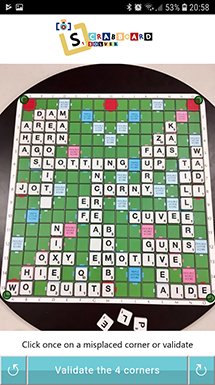
Take a photo of a real board or import a screenshot. Scrabboard Solver recognises the board and letters, then shows playable words ranked by score on your Android phone or tablet. The letters on your rack tiles are recognised automatically when the tiles are visible anywhere below the board in the image.

Need Scrabble help? Compare words and scores or ask for a hint to practise. Artificial intelligence recognises the letters locally on your device.

Install on Google Play

Free to download.

4.9/5 · 296 reviews on Google Play

Features

Advanced features of Scrabboard Solver

Scrabble help to analyse your board and compare moves

Photo and screenshot recognition

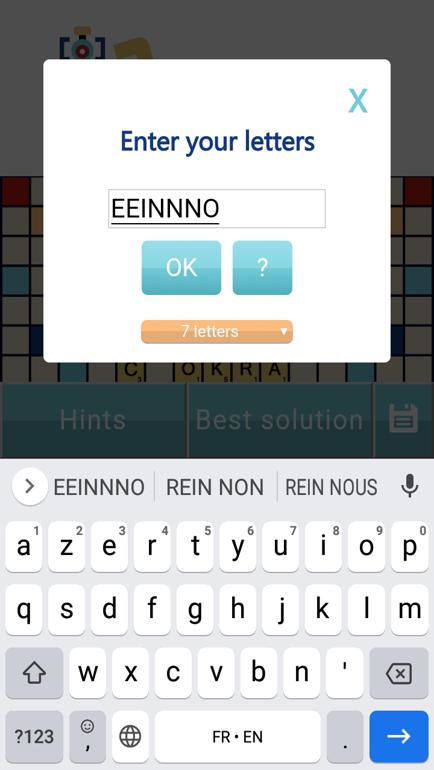
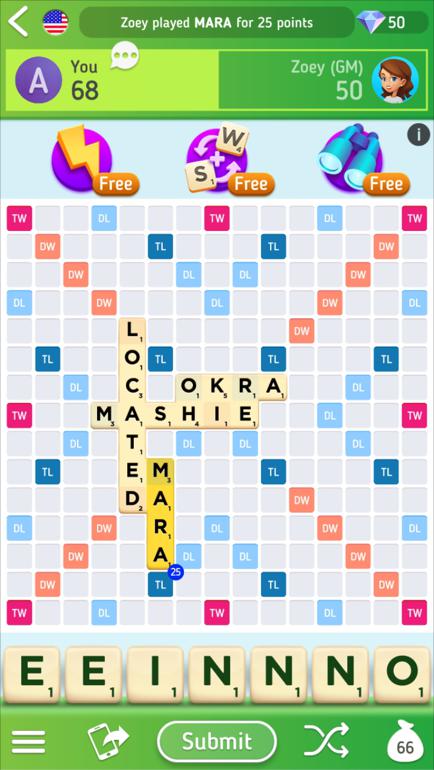
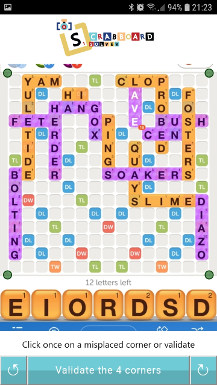
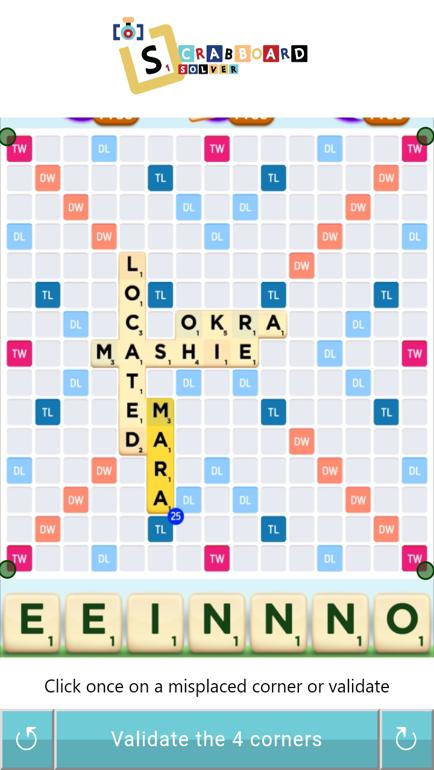
Use a camera photo of a physical board or a screenshot from a supported word game. The letters on your rack tiles are recognised automatically when the tiles are visible anywhere below the board in the image. You can correct a letter, a blank tile or the board angle when needed.

Moves ranked by score

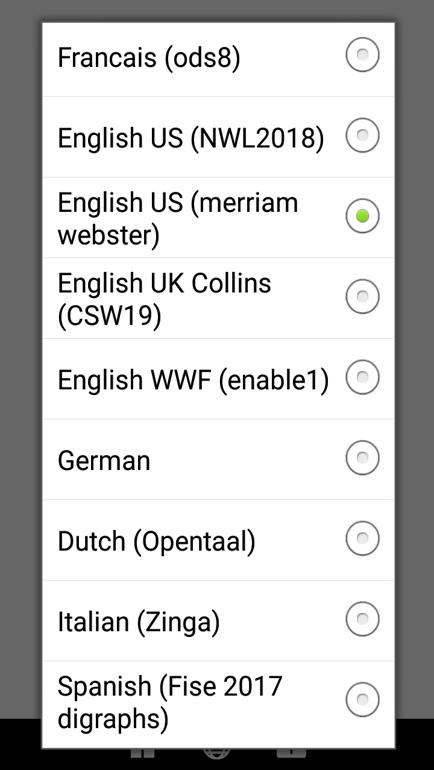
Compare playable words and their scores, then view their positions on the virtual board. Choose the dictionary that matches your game.

Hints to help you learn

Ask for clues such as the score, word length or first letter. Try finding the move yourself before revealing the full solution.

AI letter recognition

Artificial intelligence models recognise letters on your Android device. The solver then finds playable words using your chosen dictionary and board, without sending the photo to a recognition server.

Remaining tiles in the bag

Check the remaining tiles to consider possible future racks and plan the next stage of your game.

Save and export positions

Save your game to return to the analysis later. Export the position in CGP format to keep it or share it for further analysis.

From a board image to your best moves

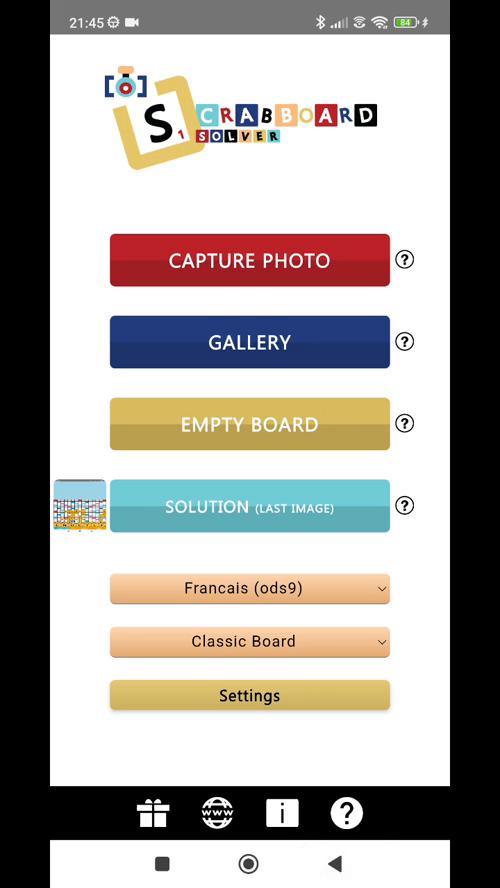
  1. Take a clear photo of the whole board, or import a screenshot from your gallery.
  2. Select the matching dictionary and board type.
  3. The letters on your rack tiles are recognised automatically when the tiles are visible anywhere below the board in the image. Check the recognised letters, rack and blank tiles; correct them if necessary.
  4. Compare the solutions by score or use hints to work out a move yourself.

In pictures

Discover the app in pictures

Browse examples of board detection, recognised letters, solutions and hints. Your results depend on the image quality and the dictionary and board you choose.

Supported games and dictionaries

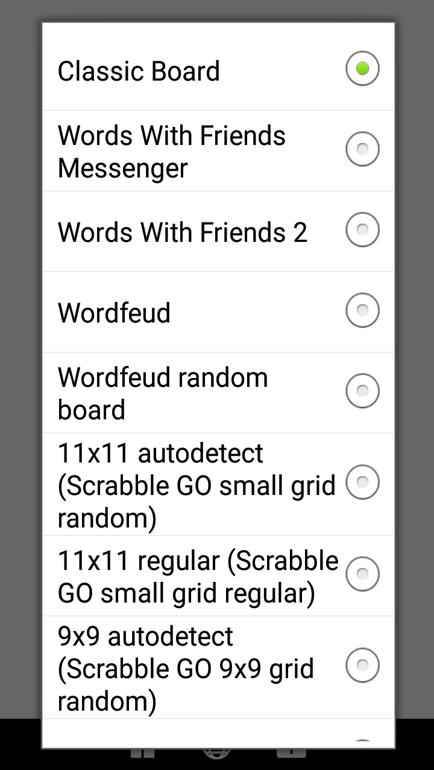
Scrabboard Solver supports physical Scrabble boards and screenshots from several word games. Always choose the board and dictionary that match your game.

The app adapts to your board configuration, up to 25 × 25: customise odd dimensions, premium squares and scoring rules.

Create a custom board up to 25 × 25 Choose the right dictionary

Games and boards

  • Classic Scrabble board
  • Scrabble GO
  • Classic Words Plus
  • Words With Friends 2
  • Wordfeud
  • Literati
  • Word Domination
  • Word Crack
  • WordBiz / ISC
  • NYT Crossplay

Word lists

  • French: ODS7, ODS8, ODS9
  • US English: NWL2018, NWL2023, Merriam-Webster
  • UK English: Collins CSW19, CSW2024
  • Words With Friends: ENABLE1
  • German, Dutch, Italian, Spanish and Portuguese

Practical guides for your next game

Photograph and analyse a real Scrabble board

Frame your board and capture clear letters to prepare your photo for analysis.

Read the guide

Scrabble GO help from a screenshot

Import your screenshot and explore the playable words on your board.

Read the guide

Choose the right dictionary

ODS, NWL or Collins: pick the word list that matches your game.

Read the guide

Authorize screenshots for a solution in one tap

Authorize the right folder and launch the solution from your latest screenshot in one tap.

Read the guide

Create a custom board up to 25 × 25

Your grid, your bonuses, your scores: adapt the solver to your square or rectangular board, up to 25 × 25.

Read the guide

Watch the application demonstration

See the board recognition and solution display in action. The guides explain how to prepare an image and check the result.

Frequently asked questions

Contact
Can I use a photo of a physical Scrabble board?

Yes. Include the entire board, use even lighting and avoid reflections. Check the recognised letters before comparing solutions.

How does the Scrabble cheat screenshot feature work?

To cheat at Scrabble or compare your move with the solutions, import a screenshot from a compatible game such as Scrabble GO, Words With Friends 2 or Wordfeud. Choose the matching board and dictionary, then check the recognised letters before asking for words and scores.

What if a letter is recognised incorrectly?

You can adjust the recognised position manually, including letters and blank tiles. A sharper image with less glare can also help.

Which devices can run the application?

The application is available for Android phones and tablets on Google Play. Check the store listing for compatibility with your device.

Is the application free?

Yes, it is free to download. You can buy the Pro version to remove ads.

Is my board photo sent to a recognition server?

No. Image recognition runs locally on your device. See the privacy page and Google Play listing for the application’s data information.

Are the letters on my rack tiles recognised automatically?

The letters on your rack tiles are recognised automatically when the tiles are visible anywhere below the board in the image. Compare them with the original photo or screenshot and correct them if needed.

How does a Scrabble solver with AI work?

AI recognises the board and letters in a photo or screenshot locally on your device. The solver then calculates legal moves from that position, your rack, the dictionary and board rules. Check the recognised letters before comparing solutions.

Questions about Scrabboard Solver?

For feedback or help, email the developer. Mention your device, application version, game and dictionary so the problem can be understood.

scrabboardsolver@gmail.com

Install on Google Play

Free to download.